
Download Google Calendar – calendar app, schedule planner, event manager, cloud calendar, Google tools, productivity software, time management, online calendar, desktop calendar
Overview
Google Calendar is a cloud-synced calendar application developed by Google, designed to help users manage appointments, events, and daily schedules efficiently. Originally introduced as part of Android 4.0 Ice Cream Sandwich, it has since evolved into a standalone desktop and mobile application available across multiple platforms. The software serves individuals and professionals who rely on digital scheduling tools to organize personal and work-related commitments.
It enables users to create, edit, and share events seamlessly, with support for recurring events, location tagging, time zone adjustments, and event invitations. The integration with Gmail allows automatic detection and addition of events from email confirmations, such as flight bookings or meeting confirmations, enhancing productivity. While it does not integrate with Facebook or Outlook, users can manually add birthdays and other recurring personal events.
Real-world usage scenarios include planning team meetings, tracking travel itineraries, and organizing personal appointments. The software is particularly suited for users already embedded in the Google ecosystem, especially those using Gmail or Android devices.
Key Features & Capabilities
- Cloud Sync Across Devices – Events are synchronized in real time across all devices linked to a Google account, ensuring consistent access and updates.
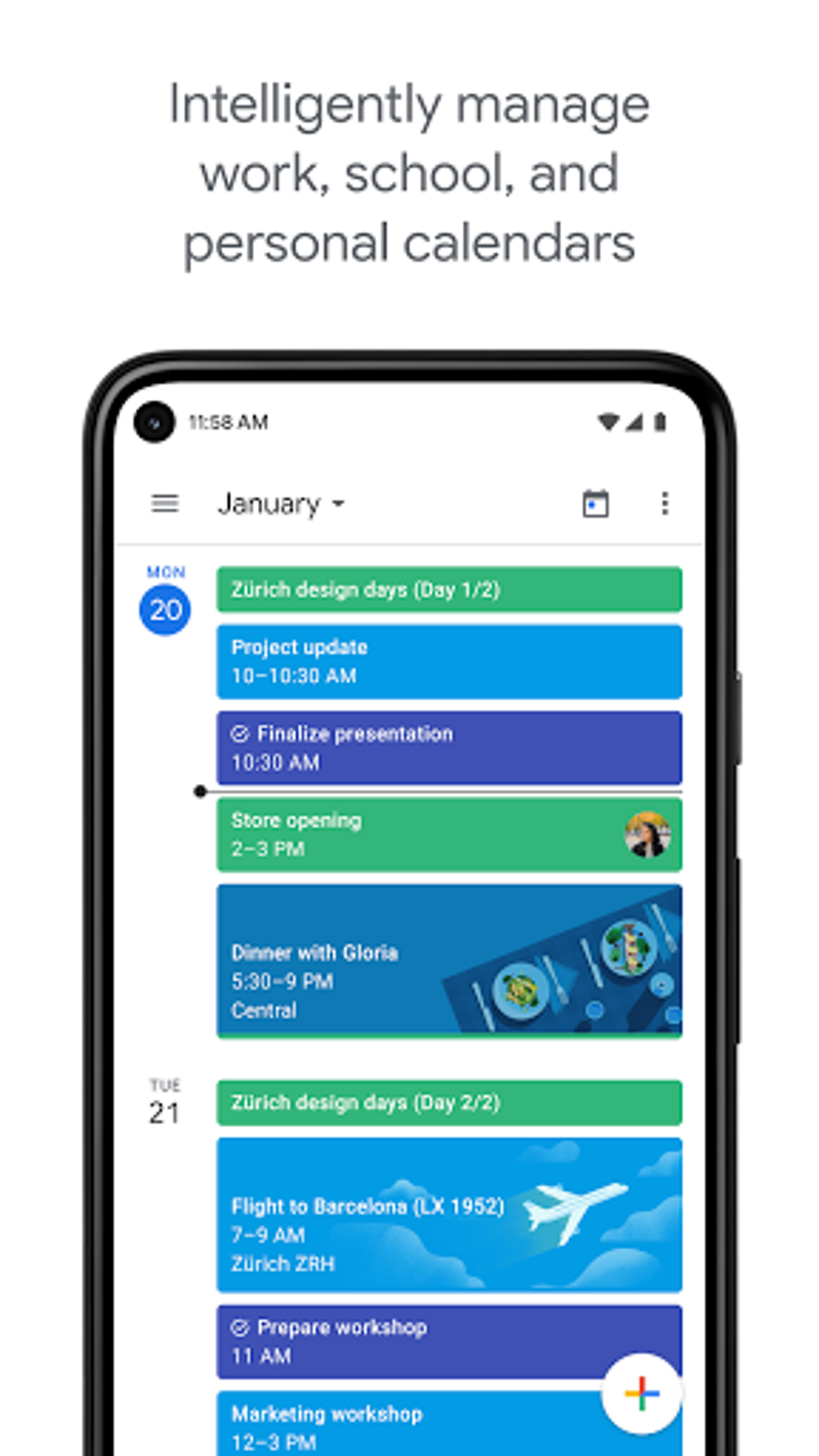
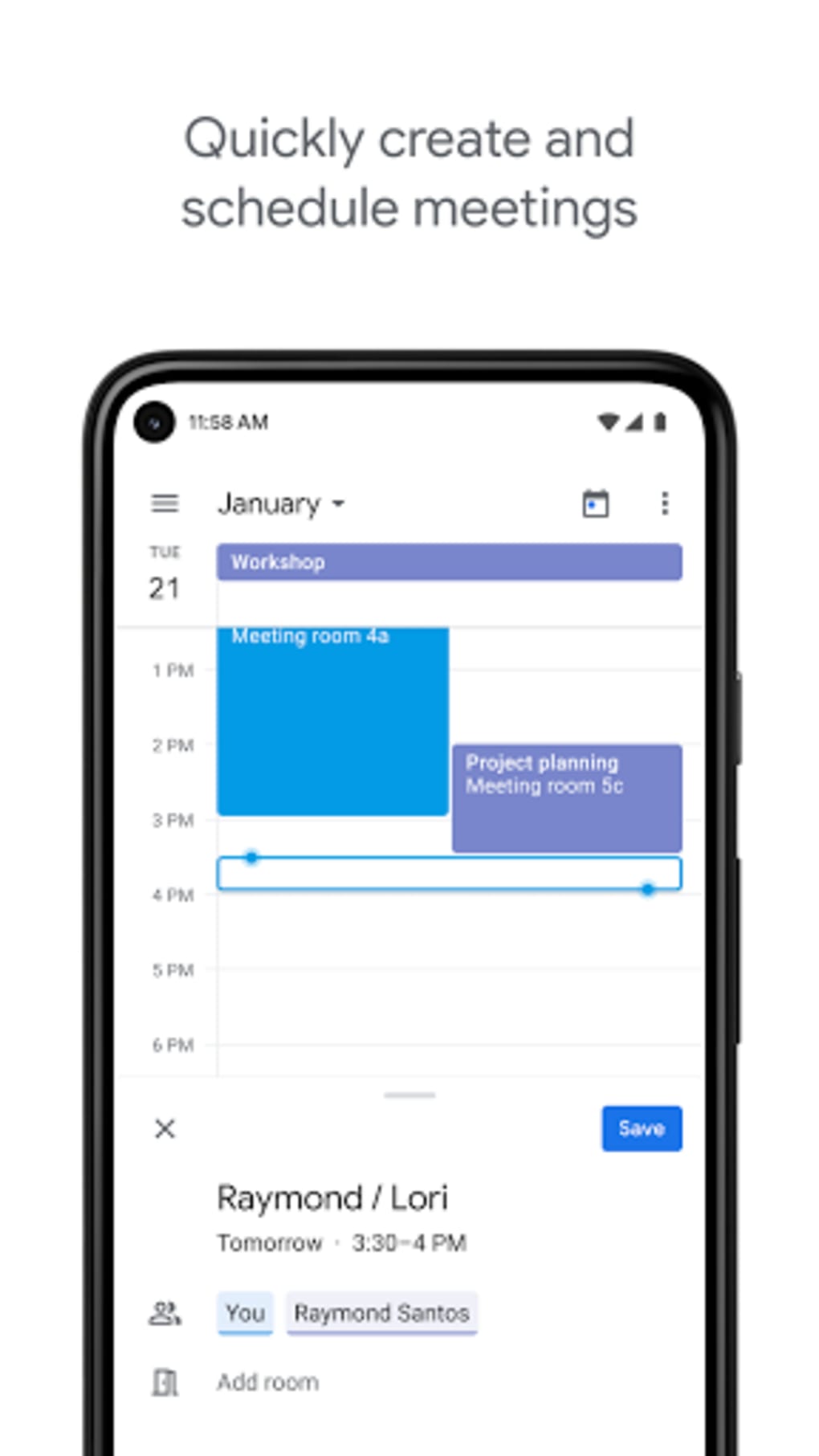
- Event Creation & Management – Users can add events with customizable details including time, date, location, notes, color coding, and repetition schedules.
- Email Integration – Automatically detects and adds events from incoming emails, such as flight confirmations, reservations, and meeting invites.
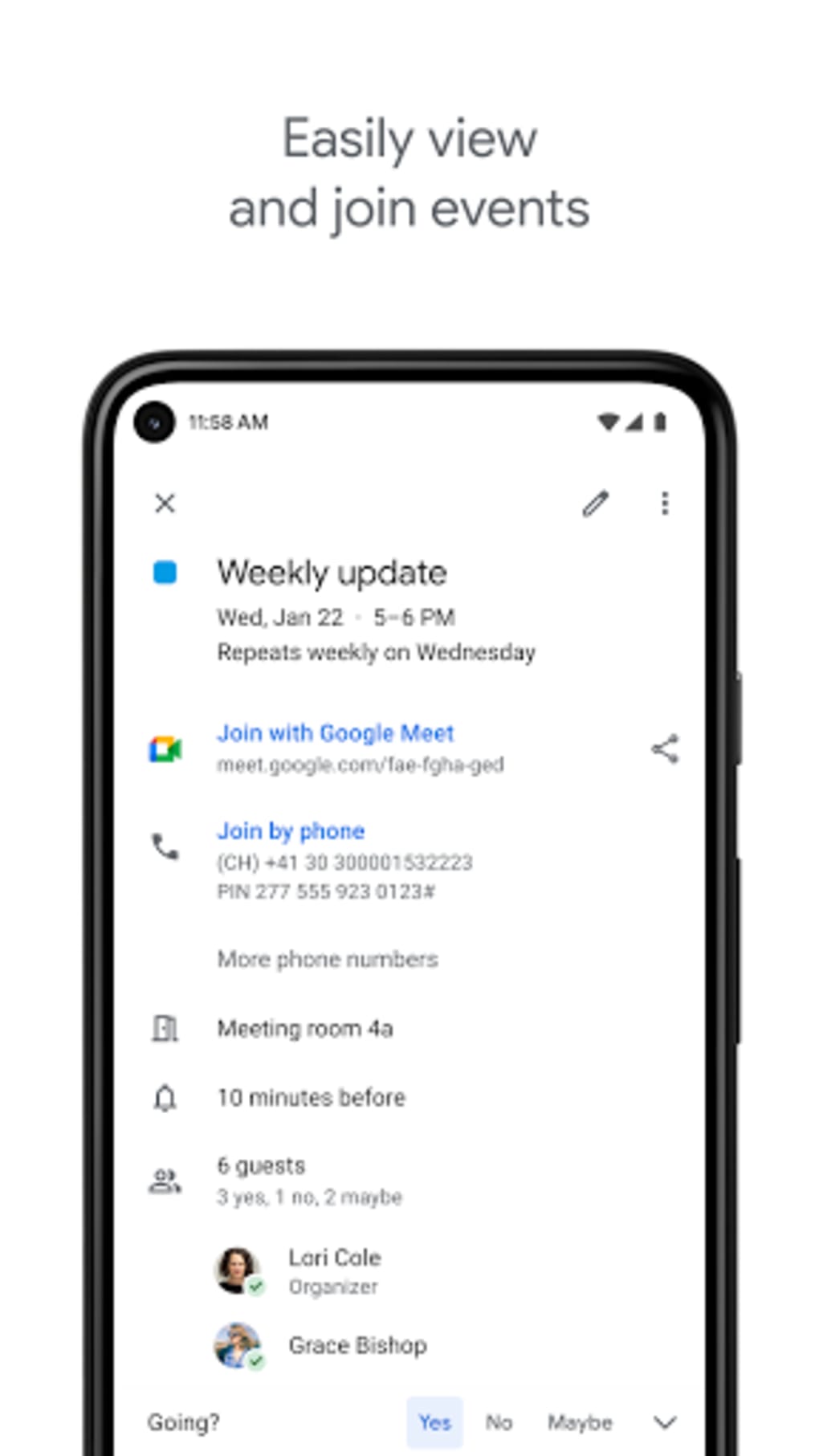
- Invitations & Notifications – Supports sending invitations to contacts via email and enables real-time updates for changes in event details.
- Visual Scheduling Views – Offers schedule, day, and five-day views for dynamic time planning; however, week and month views are not available in the current version.
- Smart Autocomplete – Provides real-time suggestions for contacts and locations while typing, streamlining event setup.
- Themed Visuals – Features contextually relevant illustrations for certain dates or events, such as holiday-themed graphics or meal-related icons.
These capabilities allow users to maintain a visual and organized schedule, reducing the risk of missed appointments. For example, a user can quickly add a flight confirmation email, and the app will automatically populate the event with date, time, and location. The visual cues help users associate events with their context, improving memory and engagement. While the absence of a week or month view may limit long-term planning, the current interface supports efficient daily and short-term scheduling.
User Interface, Workflow & Performance
The user interface of Google Calendar follows the Material Design language introduced with Android Lollipop, presenting a sleek, colorful, and visually engaging layout. The default view is a dynamic schedule display that adjusts the time range based on the number of events, offering a focused perspective on upcoming commitments. Navigation is intuitive, with a prominent red floating action button in the bottom-right corner that simplifies event creation.
Users can switch between day and five-day views through a simple menu, though the lack of a week or month view may affect users who prefer broader time overviews. The workflow is streamlined for quick event entry and editing, with autocomplete functionality reducing typing effort. The developer did not specify resource usage details, but the application’s lightweight design and cloud-based architecture suggest efficient CPU and RAM behavior.
Performance observations are based on general software behavior patterns, indicating stable operation under normal usage. The interface remains responsive and consistent across supported platforms.
Compatibility & System Requirements
Google Calendar is available on Windows, Mac, Android, and iOS operating systems, ensuring broad accessibility for users across different device ecosystems. The software version is listed as 1.0, with a file size of 25 MB, indicating a lightweight installation. The developer did not provide additional system requirements, so compatibility with specific hardware configurations remains unclear.
Exact system requirements were not listed, and users should rely on official platform guidelines for installation. The application functions primarily as a web-based tool with native desktop clients, leveraging cloud infrastructure for synchronization. This design allows it to operate efficiently on a wide range of devices, though performance may vary based on internet connectivity and device capabilities.
Pros and Cons
Pros
- Seamless integration with Gmail for automatic event detection.
- Cloud synchronization across multiple devices ensures up-to-date access.
- Intuitive interface with Material Design for improved visual clarity.
- Quick event creation with autocomplete and floating action button.
- Supports recurring events, location tagging, and customizable colors.
- Free to download and use with no upfront cost.
Cons
- Limited view options: no week or month view available.
- Does not integrate with Outlook or Facebook calendars.
- Lacks advanced productivity features like task management or reminders.
- Visual themes may distract some users focused on efficiency.
- Relies heavily on internet connectivity for full functionality.
FAQ Section
Is Google Calendar compatible with Windows and Mac?
Yes, Google Calendar is available for both Windows and Mac operating systems, allowing users to access their schedules across desktop platforms.
Is Google Calendar safe to download and use?
As a product developed by Google, the application is considered secure when downloaded from official sources. It uses encrypted cloud synchronization and adheres to standard privacy protocols.
How often does Google Calendar update?
Updates are released periodically by Google to improve functionality, fix bugs, and enhance security. The frequency depends on the development cycle and user feedback.
What type of license does Google Calendar use?
Google Calendar is provided as a free-to-use software application. It operates under Google’s standard terms of service, with no paid license required.
Can I use Google Calendar offline?
While some basic viewing is possible without internet access, full functionality such as syncing, event creation, and updates requires an active internet connection.
Final Thoughts
Google Calendar remains a top-tier choice for users seeking a simple, visually appealing, and reliable calendar tool within the Google ecosystem. Its strengths lie in seamless Gmail integration, automatic event detection, and a clean, modern interface. While it lacks advanced features like a week view, task management, or Outlook compatibility, it excels in daily scheduling and personal organization.
The application is ideal for individuals who prioritize ease of use, visual engagement, and cross-device access. For professionals and casual users alike, Google Calendar offers a balanced mix of functionality and simplicity. Despite minor limitations, it continues to evolve and improve.
Download Google Calendar now.





.png)

